
Averroes Software — Project & Document Control
Cloud-based project and document control platform for engineering, construction and tender teams — collaboration, BIM, RFIs, transmittals and reporting in one place.
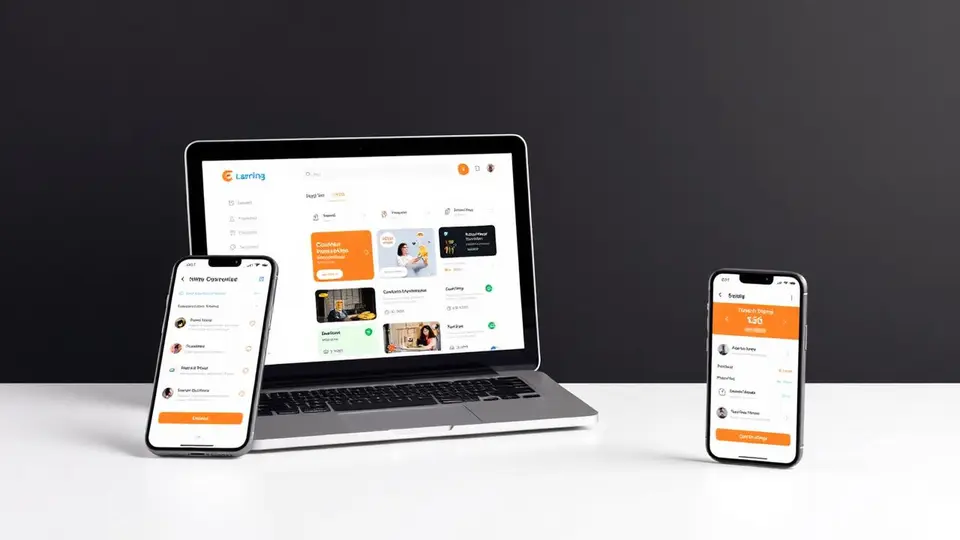
Averroes Software is a cloud-based Project & Document Control platform built by Apeiron Technologies to increase collaboration and efficiency across engineering, construction, documentation and tender projects. Access it from web, iOS and Android — your credentials work everywhere.
At a glance
- Category: Project & Document Control (AEC / EPC)
- Platforms: Web (
www.averroes.pw), iOS, Android - Project types: Engineering, Documentation, Tender
- Support: contact@averroes.pw · +33 6 44 62 09 02 · +216 51 889 889
Averroes running on desktop, tablet and mobile — one platform, everywhere.
What Averroes does
Averroes brings every piece of a project into a single, auditable workspace: teams, documents, drawings, RFIs, meetings, tasks, budget and reporting. The platform is organised around three project types and a shared backbone of communication and document control.
1. Initial configuration
Set up your organization once and reuse it across every project:
- Teams — create teams, add members, pick an icon.
- Users — invite users with login, email, job position, company, authority level and chat toggle. New users receive an activation email to set their password.
- Customers — add clients with logo, contact, website and address.
- Resources — track human resources, machinery or equipment with hourly rates.
- Configuration — currency, invoice pattern, effort type (manhours / days), incrementation pattern, daily working hours and tax percentage.
- Profile, Organization, Payment, Logout — manage your personal profile, company info and online payments (credit card + downloadable invoices/receipts in PDF).
2. Projects
From the Projects tab you can browse all projects, edit one, or launch a new one. Each project can be viewed, edited (general info, location, team, features, financial parameters), archived or deleted. Three project types are supported:
- Engineering Project — full engineering lifecycle with document control, transmittals and reporting.
- Documentation Project — focused on document register, transmittals, file manager, custom numbering (internal and client) and automatic email templates. Archive and download the whole project with a customizable structure.
- Tender Project — bid registers, bid requests, bidder management, opening bidder documents and awarding bids.
3. Dashboard & BIM Viewer
A live Dashboard aggregates project KPIs. The built-in BIM Viewer lets you upload a native drawing, name it, choose a 2D or 3D view and inspect it directly in the browser.
4. Communication
- Meetings — schedule meetings, control microphone/camera, and generate Minutes of Meeting (MOM) as PDF, sent to project members or external contacts through the internal mailing system.
- Emails — internal mail system filtered by category: transmittals, invoices, tenders, RFIs.
- RFIs — issue and track Requests for Information against the right documents and revisions.
5. Document Control
- Document Register — create registers with your own and/or your client's numbering pattern, add register number, incrementation type and description. Structure content with placeholders (logical containers for documents) and manage full revision history.
- Transmittals — transmit or dispatch documents in one click, combine multiple transmittals and download them together.
- File Manager — manage documents freely, browse revisions and download specific files.
6. Project Control (Agile for AEC)
- Backlog — plan and navigate tasks. Create tasks with name, description, related placeholder and revision, then group them into iterations.
- Boards — Kanban-style boards created per iteration to track progress by drag-and-drop, with detailed task cards (name, status, description).
- Wiki — collaborative sections and pages with rich content (images, text, drawings) to document processes and know-how.
7. Reports
- Cost Report — estimated vs. actual manhours and budget with downloadable charts.
- Timesheet — generate timesheets for a date range, export charts as SVG, PNG or CSV, and download the timesheet as Excel.
8. Configuration
- Templates — reusable templates for Transmittals, Emails, Registers and Invoices.
- Parameters — global parameters that drive numbering, workflows and defaults across projects.
Why teams choose Averroes
- Everything in one place — communication, documents, planning and reporting under one roof.
- Built for AEC / EPC realities — engineering, documentation and tender workflows out of the box.
- Web + mobile parity — same credentials on
www.averroes.pw, iOS and Android. - Auditable by design — revisions, transmittals, RFIs and MOM are all tracked.
- Custom numbering — supports both internal and client numbering systems.
Get started
- Receive your credentials — username is your first + last name (e.g.
alansmith), temporary password is your first name +1234(e.g.alan1234). - Log in on
www.averroes.pwor via the mobile app. - Configure your organization, invite your teams, and launch your first project.
For a full walkthrough of every screen and workflow, download the official user guide below.